
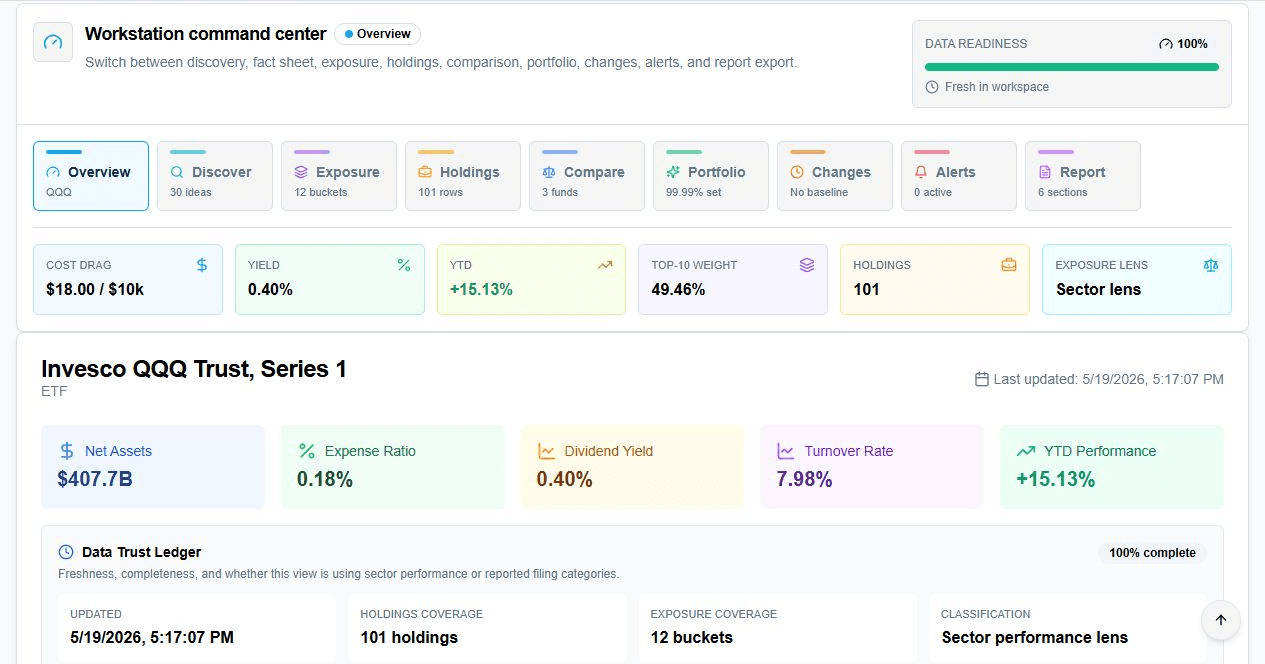
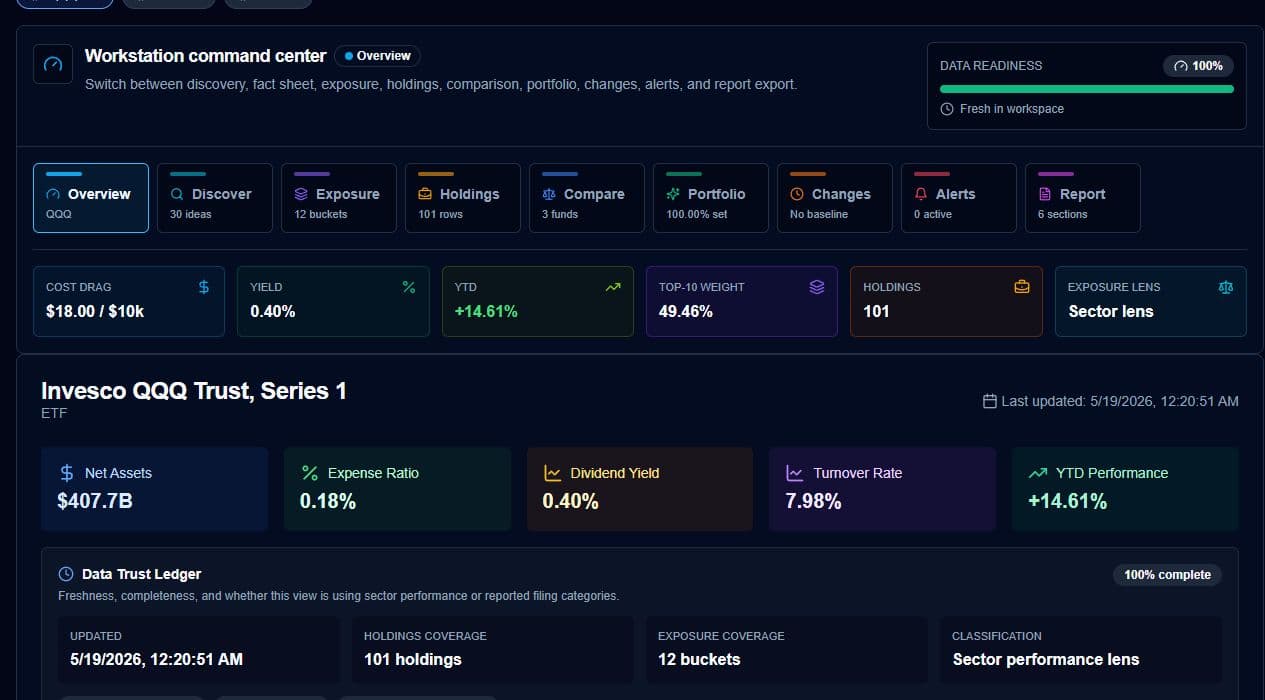
ETF Research Workspace
A paid research cockpit for comparing funds by cost, yield, YTD, holdings, concentration, overlap, exposure, alerts, portfolio mix, and exportable reports.
Research jobs
9
Discovery, facts, exposure, holdings, compare, portfolio, changes, alerts, and reports.
Decision path
1
Move from ticker search to comparison and portfolio mix without rebuilding your workspace.
Workspace memory
Saved
Keep research sets and alert rules attached to the funds you are monitoring.
Data clarity
Visible
Freshness, coverage, and classification status are surfaced before users rely on a view.
From ticker lookup to allocation decision
The feature page now reflects the actual paid workflow users see in the ETF workspace: a dense command center, real comparison screens, portfolio controls, overlap warnings, saved research, and reports.
Discover a fund universe
Screen curated ETFs by category and investment job, then add candidates to a working bench.
Compare what matters
Rank cost, yield, YTD, holdings count, concentration, and overlap in a sortable matrix.
Understand exposure
Break down sectors or reported filing categories, then connect those exposures to performance.
Build a better mix
Use equal weight or objective-driven optimization, then inspect weighted cost, yield, YTD, and concentration.
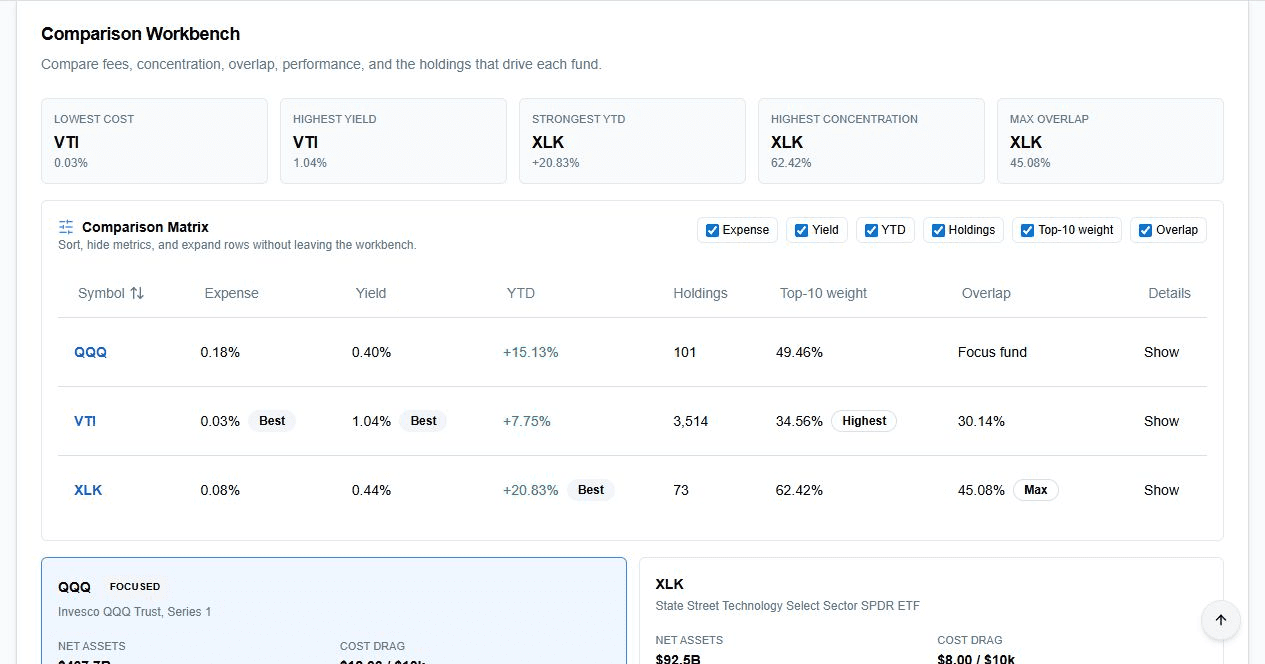

Comparison workbench
See the tradeoffs before adding another ETF
The comparison matrix keeps fees, yield, performance, holdings, concentration, and overlap in one scannable view.
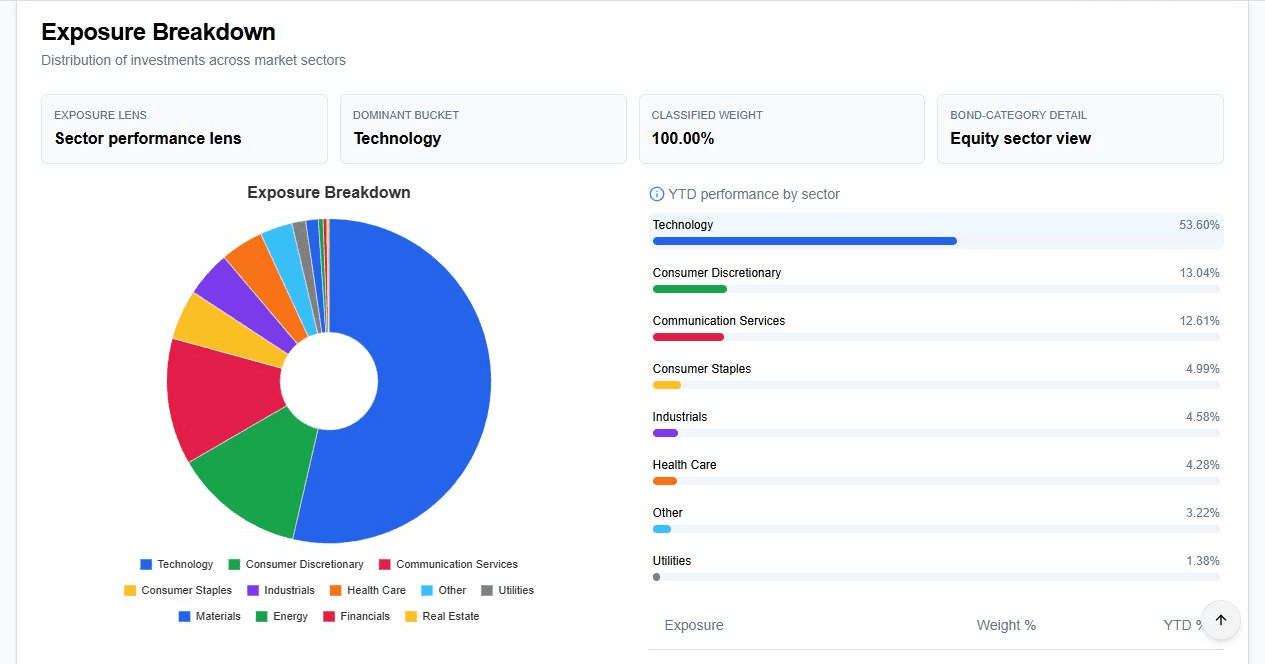

Exposure lens
Know what actually drives the fund
Exposure cards separate dominant buckets, classified weight, and sector or category lenses so users understand the fund shape.
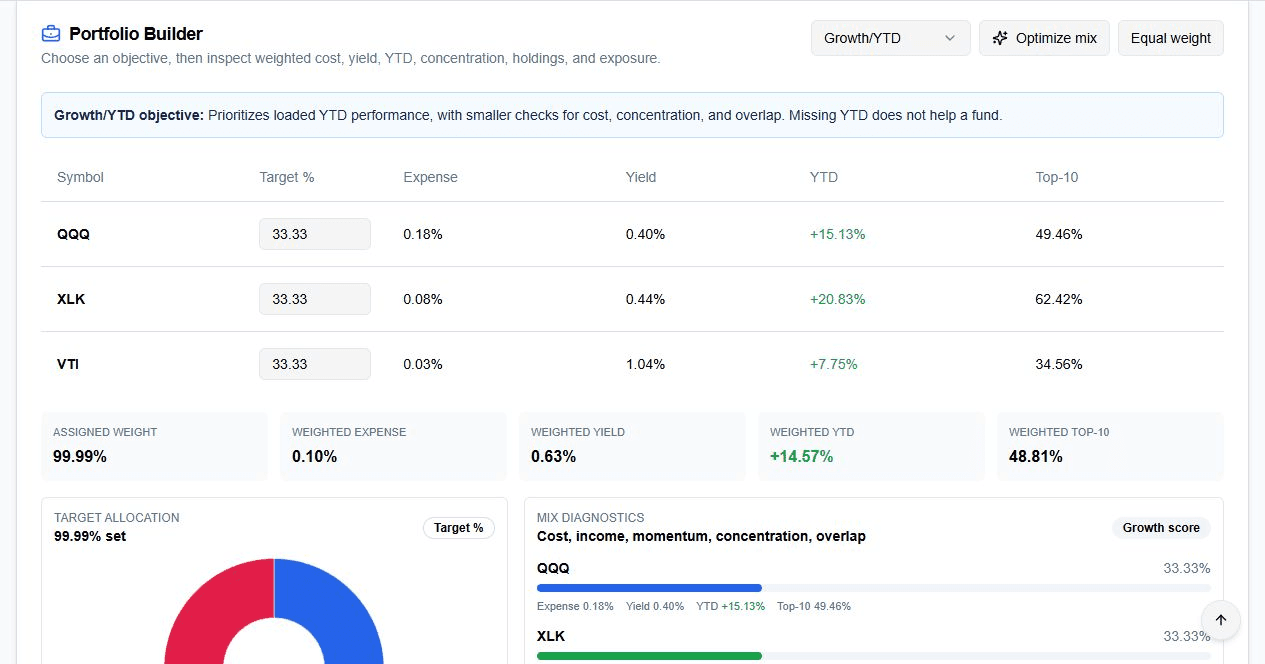

Portfolio builder
Turn comparison into allocation
The builder supports objective selection, optimized target weights, equal weighting, and weighted portfolio diagnostics.
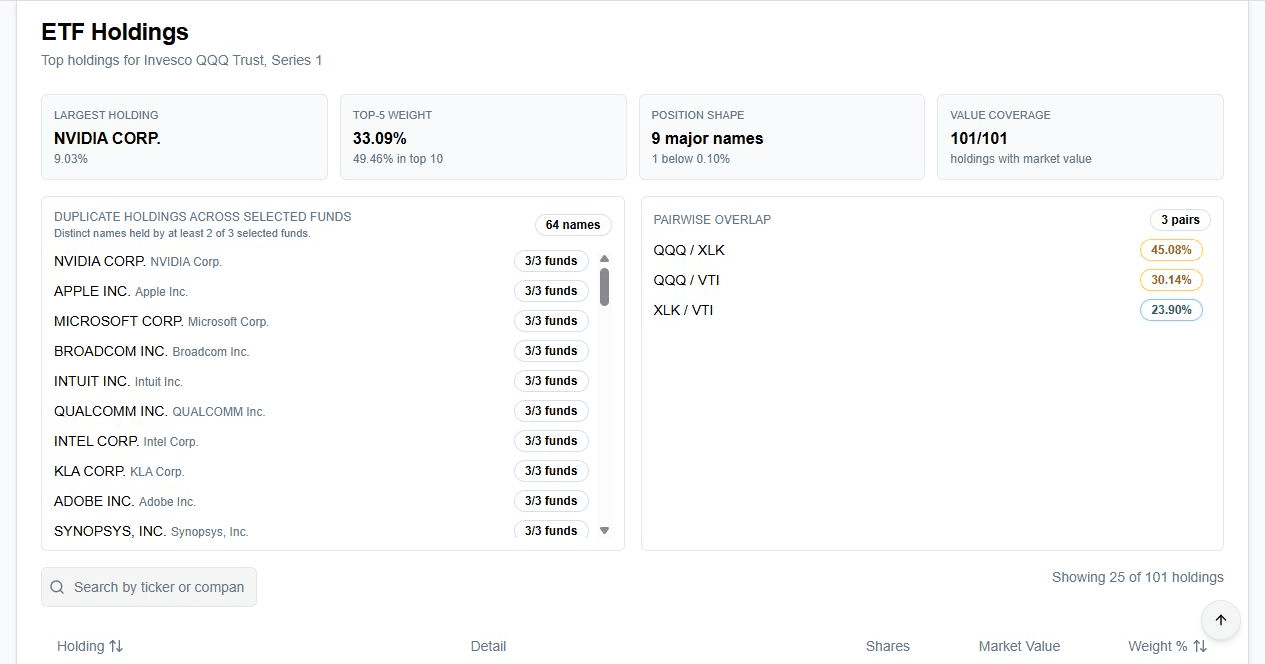

Holdings overlap
Catch duplicate exposure before it surprises the user
Duplicate holdings and pairwise overlap warnings show where selected funds are repeating the same underlying positions.
What makes it worth paying for
A paid tool has to reduce research time and prevent avoidable mistakes. This workspace does that by keeping the research set, alerts, loaded data status, comparison table, and portfolio diagnostics together.
Without it, users bounce between issuer pages, spreadsheets, watchlists, and stale notes.
With it, users can inspect the same basket through cost, income, performance, concentration, exposure, overlap, and allocation lenses.
Saved research sets
Name a basket once and reopen it when the market, holdings, or user thesis changes.
Alert control center
Track new filings, holdings drift, expense changes, yield moves, and exposure shifts.
Report builder
Package the loaded workspace into an exportable research summary for review or client follow-up.
Data trust ledger
Show freshness, holdings coverage, exposure coverage, and classification status directly in the workflow.
Metric controls
Hide or show comparison fields so power users can keep a dense table focused on the decision.
Research exports
Export loaded holdings and reports from the same place users already compare the funds.
Users can see what is loaded before relying on it
The workspace surfaces data readiness, coverage counts, classification status, and freshness so the user is not guessing whether a chart, table, or metric is ready for decision support.
Why ETF teams keep it open
The value is not another place to type a ticker. It is a compact workflow for deciding whether a fund belongs in the basket and what it changes once it is there.
"This replaces issuer tabs and spreadsheets with one bench for cost, exposure, overlap, and allocation impact."
ETF research workflow
Comparison desk
"The readiness ledger shows what is loaded before we trust a chart, comparison, or export."
Due diligence workflow
Portfolio review
Built for paid research, not a thin lookup screen
What makes this more than a ticker lookup?
Can users export the research they loaded?
Does it keep saved ETF baskets?
How does it handle incomplete fund data?
Ready when the user is ready to compare
Open the ETF workspace and keep the research moving.
Compare funds, inspect holdings, build an allocation, set alerts, and export the loaded research from one place.